
Great Clips Online Check-in
Great Clips, Inc.Lifestyle
4.833.64K Reviews
- Version
- 6.91.0 (2026102002)
- Installs
- 10.00M
- Age Rating
- Everyone
Screenshots
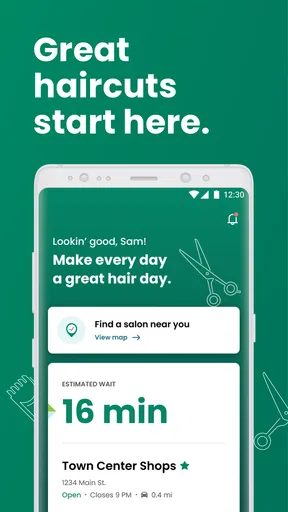
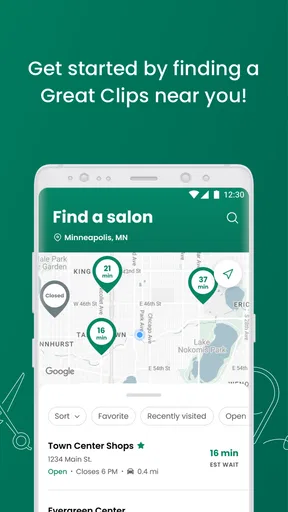
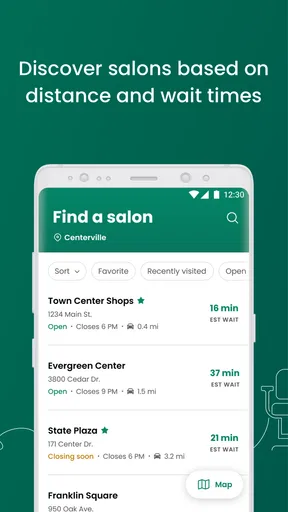
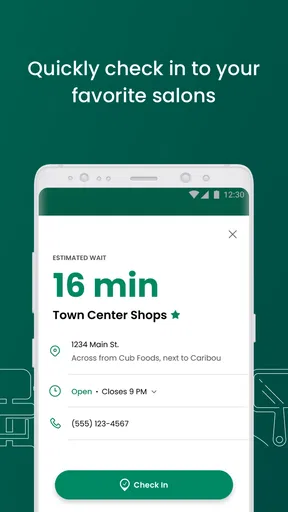
Our Review of Great Clips Online Check-in
 Analysis by Appyee
If you are trying to get a haircut without spending part of your day sitting in a salon, Great Clips Online Check-in is the kind of lifestyle app that makes sense immediately. I used it with one simple goal: find a nearby Great Clips location, see how busy it was, and get into the queue before arriving. The experience is focused rather than overloaded, which is a strength for a first-time user who does not want to learn a complicated booking system.
This is a free app from Great Clips, Inc. for Android and iOS, and it is aimed at one specific moment in your routine: preparing for a visit to a Great Clips salon. It is not a general appointment planner, a hairstyle library, or a social app. Its value comes from reducing the uncertainty around a walk-in haircut. Instead of arriving blindly and hoping the wait is reasonable, I can check the current situation first and make a more informed decision.
What the first visit feels like
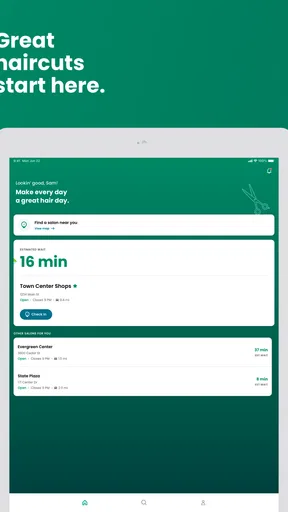
The app has a practical, task-oriented feel. I do not open it to browse endlessly; I open it when I need to decide whether going to a salon now is convenient. The store summary points to the central function, Online Check-In, and that description is accurate without telling the whole story: the useful part is not simply seeing a salon, but connecting the wait-time information with a decision about when to leave home.
Great Clips Online Check-in belongs in the lifestyle category because it fits into an everyday errand rather than replacing the haircut itself. The developer is Great Clips, Inc., so the app is closely tied to the salon chain instead of trying to compare unrelated businesses. That focus is helpful if Great Clips is already the place you want to visit. If you are looking for a broad marketplace covering many barbers and independent stylists, this is not the right tool.
The app is free, and its content rating is Everyone, which makes it approachable for households where different people may help arrange a visit. It has been available since May 1, 2011, and the current release is version 6.87.0 (2026071704). On Android, it requires operating system version 12 or later, so anyone using an older phone should check compatibility before planning around it.
Its reception is strong: the app holds a 4.8 average from around 639 thousand ratings, with roughly 33 thousand written reviews, and it has passed 10 million installs. Those figures do not replace personal testing, but they do match my impression that the app solves a clear, recurring problem for many people. The interface does not try to turn a quick errand into a large digital experience.
What it does well before you leave home
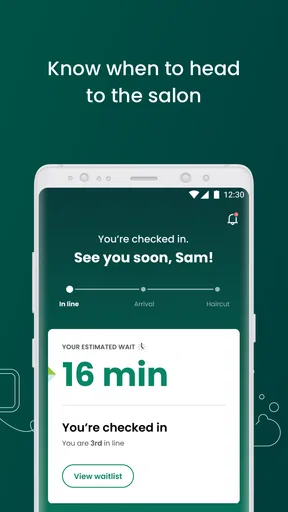
The most useful change in habit is that I can treat the salon visit as a two-stage decision. First, I check the wait and select a location. Second, I decide when it makes sense to travel. That is better than driving to the nearest branch, discovering a long line, and then deciding whether to stay. For parents, commuters, and anyone fitting a haircut between other commitments, that small amount of information can make the difference between a relaxed errand and an annoying delay.
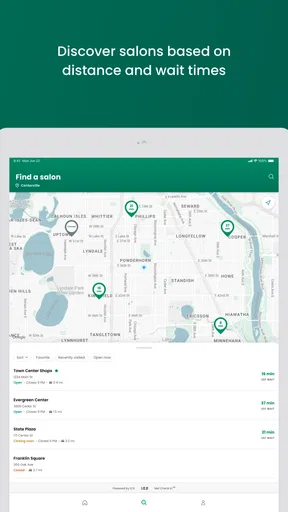
One practical scenario is a weekday afternoon when I have a limited break. I can open the app, look at nearby Great Clips locations, and compare the visible wait situation rather than automatically choosing the closest branch. A salon that is slightly farther away may be the more sensible choice if its queue is moving more favorably. The trade-off is that travel time still matters, so the app helps with the decision but does not make it for me.
Another good use is preparing for a family haircut trip. Rather than asking everyone to wait in the salon from the start, I can check in before leaving and use the journey time more efficiently. I would still keep an eye on the queue and avoid treating the displayed wait as a guaranteed appointment time. The app is designed around online check-in, not a promise that the stylist will begin at an exact minute.
Setting it up without overthinking it
For a first-time user, I recommend beginning with the immediate task instead of exploring every screen. Install the app, open it, and look for the location and wait-time flow. The goal is to identify a Great Clips salon you could realistically reach, not merely the one that appears first. If the app asks you to make a choice about a location, pause and confirm that it is the branch you actually intend to visit.
This location check is more important than it sounds. A check-in is useful only if it is attached to the salon where you plan to get your haircut. People who live near several branches can easily select the wrong one when they are moving quickly, especially if the names or surrounding areas look similar. I make a habit of checking the location details before continuing, because correcting a mistaken choice later is more inconvenient than spending a few seconds up front.
The app works best when I use it as part of a simple travel routine: check the wait, choose the branch, check in, and then leave with enough time to arrive sensibly. I would not complete the online step while still undecided about whether I can get there. Checking in too early, then delaying the trip, can make the whole process less predictable from a user’s point of view.
There is also a useful distinction between browsing and committing. Looking at wait times is a low-commitment action; online check-in is the action that changes how I approach the visit. I suggest first comparing the nearby options, then committing only after choosing the branch and estimating the journey. That sequence is more reliable than tapping through quickly and thinking about transportation afterward.
Reaching the first meaningful success
The first real success is not installing the app or finding a salon. It is completing an online check-in for the correct location and arriving prepared. To get there, I would use this order:
Open the app when you are ready to consider a haircut, rather than hours before you can travel.
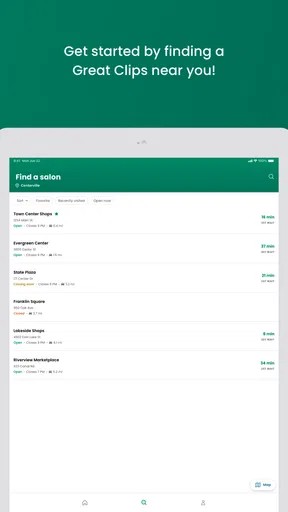
Review the listed nearby Great Clips locations and focus on branches you can reach comfortably.
Compare the wait situation with your travel time, not by wait time alone.
Select the intended salon carefully and complete the Online Check-In process.
Leave with enough margin for the journey and keep the selected location in mind when you arrive.
This workflow reveals the app’s real strength: it turns a vague question, “How busy is the salon?” into a more useful decision, “Which location can I reach at a reasonable point in its queue?” That is a modest feature set, but it is exactly the sort of modest feature set I prefer for errands. There are fewer distractions between opening the app and doing the thing I came to do.
A non-obvious tip is to compare the queue with your actual route rather than choosing the lowest wait automatically. A shorter wait at a distant branch may be less useful than a slightly longer wait at the salon around the corner. The app gives me information, but I still need to combine it with traffic, walking time, parking, and the reason I need the haircut now.
I also find it helpful to think of the check-in as a queue-management tool, not a full appointment. That mindset prevents disappointment. If I need a highly specific time, a particular stylist, or a carefully planned service, I would not assume that online check-in offers the same certainty as a scheduled appointment system. For a flexible walk-in haircut, it is much more suitable.
Where first-time users may hesitate
The biggest possible confusion is the difference between seeing a wait time and being checked in. Those are separate stages in the decision. A listed wait helps me evaluate a salon; completing Online Check-In is the step that prepares me for the visit. I would not close the app after looking at a location and assume that I have joined the queue.
A second point of confusion is timing. A queue can change while people arrive, leave, or are served, so I treat the displayed estimate as guidance rather than a stopwatch. If I am traveling from far away, I would be especially cautious about relying on a narrow arrival window. The app can reduce uncertainty, but it cannot remove the normal variation of a busy salon.
Users may also wonder whether the app is useful if they already know their favorite Great Clips branch. I think it is. Familiarity removes the need to compare locations, but checking the current wait before leaving can still prevent an unnecessary trip. In that case, the app becomes a quick pre-departure check rather than a discovery tool.
On the other hand, someone who never visits Great Clips will get limited value from it. The app is not a neutral haircut search engine, and its usefulness depends on having a participating Great Clips location that suits your routine. If your preferred barber is independent, if you need a salon outside this chain, or if you want to book a specialized service with a fixed stylist, a dedicated booking app or the provider’s own system may be a better match.
Another limitation is that the app cannot solve every part of the salon experience. It can help me decide when and where to go, but it does not replace communication at the salon. If I have a specific request, an unusual timing constraint, or a question about what can be done during the visit, I would still handle that directly rather than expecting the check-in process to cover it.
How it compares with ordinary alternatives
The simplest alternative is walking or driving to a salon without checking first. That approach works when the location is quiet, the trip is short, and I do not mind waiting. Great Clips Online Check-in is clearly better when my time is limited or when I am choosing between several nearby branches. Its advantage is not that it makes a haircut more luxurious; it makes the waiting decision less blind.
A phone call is another alternative. Calling can be useful when I need to ask a question that the app does not address, but it is less convenient for a quick look at the current queue. The app lets me investigate quietly, without waiting for someone to answer, and it fits better into a commute or a busy afternoon. I would still favor direct contact for a question that requires a personal answer.
General appointment platforms can be stronger when I want to compare many businesses, select a particular professional, or reserve a defined time. Their broader choice is also their complication. This app is narrower, but that narrowness makes the main action easier to find when I have already chosen Great Clips. For a routine haircut with flexible timing, I prefer the focused approach; for a specialized appointment, I would choose a more detailed booking system.
There is also a behavioral difference between online check-in and a traditional reservation. I use check-in when I can adapt to the queue and want to avoid waiting unnecessarily. I use a reservation when the exact time matters more than flexibility. Understanding that distinction is probably the most important way to decide whether this app belongs in your routine.
Small habits that make the app more useful
I would save the app for moments when I am genuinely ready to travel. Checking repeatedly throughout the day may create a false sense of precision, because the situation can change before I arrive. A better habit is to check when I have a realistic departure window, then make the location choice based on both the queue and the route.
If I am taking a child or another family member, I would make the location decision together before checking in. That avoids the common problem of selecting the branch with the shortest visible wait even though it is inconvenient for the rest of the group. The app is most effective when it supports a clear plan instead of becoming another thing to negotiate after the queue decision has been made.
For repeat visits, the process should become quick, but I would not skip the location confirmation. Familiar routines encourage fast tapping, and that is exactly when a nearby alternative can be selected by mistake. The few seconds spent checking the branch are worthwhile, particularly if several Great Clips salons serve the same area.
I would also keep the app updated when possible, especially because the current Android release is 6.87.0 (2026071704). Updates can matter for basic reliability, and the app’s minimum Android requirement of version 12 means older devices may need attention before the first visit. These are simple practical checks, but they are easier to handle before you are already standing outside a salon.
Who should use it, and who should skip it
I recommend Great Clips Online Check-in to people who already use Great Clips and dislike arriving without knowing whether they will wait. It is particularly suitable for flexible haircut plans, busy parents, commuters, and anyone with more than one nearby branch to consider. The app’s focused design makes sense when the goal is to see the situation and join the queue with less guesswork.
I would be more cautious recommending it to someone who needs a fixed appointment time, a specific stylist, or a service that requires detailed advance discussion. It may also be the wrong choice for users whose preferred salon is outside the Great Clips chain. In those cases, the limitation is not that the app is poorly focused; it is that its focus does not match the job.
The app is also not necessary for every visit. If your local salon is always quiet and only a few minutes away, walking in may be faster than opening any app. I see the strongest value on uncertain days: weekends, after-work periods, family errands, or any time when a surprise wait would disrupt the rest of my schedule.
The next step after the first check-in
After the first successful use, I would keep the workflow deliberately simple. Open the app when you are ready, inspect the nearby options, choose the branch that fits your route, complete the check-in, and travel with a realistic buffer. That is enough to make the app useful without turning a haircut into a project.
My overall view is positive because the app respects the limited problem it is trying to solve. Great Clips, Inc. has built a straightforward lifestyle tool around salon wait times and online queue entry, and I found that focus more valuable than a crowded collection of unrelated features. The best reason to use it is not convenience in the abstract; it is the ability to make a better departure decision before committing your time.
I would recommend it to a friend who says, “I need a haircut, but I do not want to sit there for an unknown amount of time.” I would explain that it is free, easy to approach, and most useful when the user combines the displayed wait with real travel time. I would also be honest that it is not a guaranteed appointment and not a universal salon-booking service.
For the right situation, that balance is enough. If Great Clips is already part of your routine, installing Great Clips Online Check-in gives you a practical way to check the queue before leaving home. If your needs are more specialized, a broader booking alternative may serve you better. For an ordinary, flexible haircut where avoiding unnecessary waiting matters, I think this app earns a place on the phone.
Privacy and Permissions
See what permissions an app requests and how it handles your data.
- Location
- approximate location (network-based), precise location (GPS and network-based)
- Other
- view network connections, full network access, run at startup, control vibration, prevent device from sleeping
Verdict
Strengths of Great Clips Online Check-in
- Quickly check in before arriving at a participating salon.
- Shows estimated wait times to help plan your visit.
- Lets you choose a preferred Great Clips location.
- Conveniently saves time compared with joining the line in person.
- Available for both Android and iOS devices.
Limitations of Great Clips Online Check-in
- Online check-in does not reserve a specific appointment time.
- Wait estimates can change as salons serve arriving customers.
- Features depend on the selected salon’s participation and availability.
- You may still need to wait after arriving and confirming check-in.
- The app is mainly useful for Great Clips salon visits.
Similar Picks in This Category
View All
SmartThings
Samsung Electronics Co., Ltd.4.6

Google Home
Google LLC4.0

Pinterest4.2

Astrotalk - Talk to Astrologer
Astrology & Horoscope4.7

My Verizon
Verizon Consumer Group4.5

Samsung Wallet (Samsung Pay)
Samsung Electronics Co., Ltd.4.1
Frequently Asked Questions
What is Great Clips Online Check-in, and how does it work?
Great Clips Online Check-in lets you add yourself to the waitlist at a participating Great Clips salon before you arrive. You select a nearby location, provide basic information, and receive an estimated wait time. When you reach the salon, you check in with the front desk. It is not a traditional appointment, so your place depends on the salon’s current queue.
Can I choose a specific stylist or request a particular haircut when checking in online?
The online check-in process primarily helps you join the salon’s waitlist and does not guarantee that you will be assigned to a specific stylist. Some locations may allow stylist preferences or display available services, but options can vary by salon. You should confirm your request with the front desk after arriving, especially if you have detailed haircut requirements or a preferred stylist.
How accurate is the estimated wait time shown in the app or website?
The estimated wait time is useful for planning, but it should not be treated as an exact appointment time. It is calculated from the current queue and the salon’s expected service pace, which can change when customers arrive, services take longer than expected, or staffing levels vary. Checking in early does not always mean you will be served immediately upon arrival.
Do I still need to visit the salon after using Great Clips Online Check-in?
Yes. Online check-in does not complete the haircut remotely or reserve a guaranteed appointment. You must travel to the selected Great Clips location and confirm your arrival with the salon team. If you arrive too late, choose the wrong location, or fail to check in at the front desk, the salon may remove your name from the waitlist or place you behind other customers.
Is Great Clips Online Check-in free, and what information do I need to provide?
Using Great Clips Online Check-in is generally free, although you still pay the normal price for your haircut or other salon service. The process typically asks for information such as your name, the number of people receiving services, and the location you want to visit. Available services, prices, payment methods, and check-in rules may differ between salons, so review the location details before proceeding.
